If you edit video from external storage, the enclosure matters as much as the SSD inside it. Speed, cooling, and connection type can make a real difference in timeline performance and offload times.
Below, we focus on SSD enclosures for video editing that balance transfer speed, thermal control, and compatibility for modern laptops and desktops.
Best 10 SSD Enclosures for Video Editing Picks for 2026
Editor Pick
Qwiizlab 40Gbps Fanless USB4 NVMe Enclosure

- 40Gbps USB4/Thunderbolt support
- Fanless aluminum cooling
- Up to 8TB NVMe compatibility
Best For: Quiet, high-speed editing on Mac or Windows
Pro Performance
TERRAMASTER D1 SSD Pro 80Gbps Enclosure

- 80Gbps bandwidth and up to 7061MB/s
- CNC aluminum with dual-fin cooling
- Fanless and supports up to 8TB
Best For: Professional 8K/12K editing workflows
Best Value

- Up to 3600MB/s over USB4/TB4
- Compact aluminum design with fin cooling
- Supports 2230 to 2280 NVMe drives
Best For: Portable editing and fast project transfers
Mobile Creator Pick
ACASIS Magnetic 10Gbps NVMe Enclosure

- Magnetic attachment for mobile use
- 4K@60 ProRes recording support
- Built-in fan with aluminum cooling
Best For: iPhone ProRes recording and on-the-go video creation
USB4 Speed Pick
Satechi USB4 NVMe SSD Pro Enclosure

- 40Gbps USB4 support for fast transfers
- Tool-free install with included thermal pad
- Fits 2230 to 2280 NVMe drives up to 16TB
Best For: Editors who want a compact USB4 enclosure for fast transfers and easy setup.
Tool-Free Budget Pick
SABRENT USB-C NVMe Enclosure & Reader

- Tool-free flip-open design for easy installs
- USB 3.2 Gen 2 10Gbps plug-and-play connection
- Aluminum build with thermal pad cooling
Best For: Editors who need a simple 10Gbps NVMe enclosure for portable project storage.
Quiet Pro Pick
ACASIS 40Gbps M.2 NVMe SSD Enclosure

- USB4 and Thunderbolt compatible for fast transfers
- Fanless aluminum fin cooling keeps operation quiet
- Supports bootable external use and up to 8TB NVMe
Best For: Video editors who want a quiet USB4 enclosure for fast transfers and backups.
Thunderbolt Speed Pick
Yottamaster 40Gbps NVMe Enclosure

- 40Gbps USB4/Thunderbolt 4 support
- Active cooling for sustained loads
- Tool-free install, up to 8TB SSDs
Best For: Thunderbolt/USB4 editors who want fast, portable 4K-ready storage
High-Capacity Workhorse
TERRAMASTER D4 4-Bay NVMe Enclosure

- Four NVMe bays, up to 32TB total
- 40Gbps speeds with active cooling
- Tool-free and hot-swappable
Best For: Large editing libraries, backups, and multi-drive desktop workflows
Portable Cooling Choice
Rosewill 40Gbps NVMe Enclosure
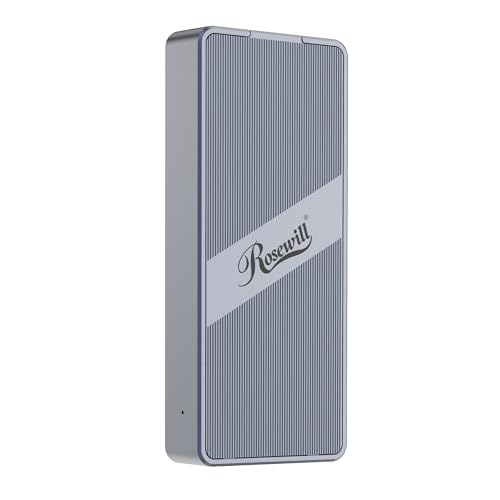
- Up to 3187MB/s over 40Gbps
- Built-in fan for sustained use
- Compact, travel-friendly single-drive design
Best For: Mobile editors who need a compact, cooled enclosure for fast transfers
Editor Pick – Qwiizlab 40Gbps Fanless USB4 NVMe Enclosure
If you want one of the more capable ssd enclosures for video editing, this Qwiizlab model is built for fast transfers and quiet operation. Its USB4 and Thunderbolt 4/5 support targets up to 40Gbps, while the fanless aluminum body helps keep things cool without adding noise to a workspace.
Best For: Editors who want a quiet, high-speed enclosure for large NVMe projects on Mac or Windows.
Pros:
- Up to 40Gbps with claimed sequential read speeds up to 3,840 MB/s
- Fanless aluminum design for silent, passive cooling
- Supports M.2 NVMe 2230/2242/2260/2280 drives up to 8TB
- Compatible with macOS and Windows, plus Thunderbolt 3/4/5 and USB4
Cons:
- SSD is not included
- Not compatible with Thunderbolt 2/1
- Best results depend on using compatible high-speed ports
For editors who prioritize a quiet desk setup and strong bandwidth, this is a straightforward premium pick. It focuses on speed, thermal management, and broad NVMe compatibility without extra features that get in the way.
Pro Performance – TERRAMASTER D1 SSD Pro 80Gbps Enclosure
For demanding ssd enclosures for video editing, the TERRAMASTER D1 SSD Pro pushes into 80Gbps territory and is aimed at serious post-production workflows. The enclosure is built for sustained performance, with a CNC aluminum shell, dual-fin heatsink design, and fanless operation for quiet studios.
Best For: Professional editors working with very large files, high-resolution timelines, and cross-platform setups.
Pros:
- Up to 80Gbps bandwidth with claimed speeds up to 7061MB/s
- Dual-fin heatsink and pre-installed cooling for sustained editing sessions
- Fanless design keeps operation silent in studio environments
- Supports Thunderbolt 5/4/3, USB4, and up to 8TB M.2 NVMe 2280 drives
Cons:
- Diskless, so you need to supply your own SSD
- Built around 2280 drives only, not smaller NVMe sizes
- Premium performance may be more than casual users need
This is the strongest fit when raw throughput and thermal stability matter more than price or portability. If your workflow includes heavy editing, this enclosure is designed to keep pace.
Best Value – UGREEN 40Gbps NVMe Enclosure
If you need ssd enclosures for video editing without going all the way up to the highest tier, this UGREEN option covers the essentials well. It supports up to 40Gbps-class connectivity, uses a double-sided fin cooling design, and is built for portable external storage on common desktop and mobile platforms.
Best For: Editors who want a compact, portable NVMe enclosure for fast everyday project transfers.
Pros:
- Supports USB4 and Thunderbolt 3/4 with a claimed maximum speed of 3600MB/s
- Double-sided fin and three-dimensional cooling design for quieter operation
- Compatible with M.2 NVMe sizes 2230/2242/2260/2280 and up to 8TB drives
- Works with Windows, Mac, Linux, Android, and more
Cons:
- Thunderbolt 4 cables and devices are required to reach top speed
- Does not support SATA NGFF or mSATA drives
- SSD is not included
UGREEN’s enclosure is a practical middle-ground for editors who want speed, broad compatibility, and a small footprint. It is especially appealing if you need something easy to carry between shoots, offices, or editing stations.
Mobile Creator Pick – ACASIS Magnetic 10Gbps NVMe Enclosure
This ACASIS enclosure is a different kind of pick among ssd enclosures for video editing because it focuses on mobile recording rather than raw desktop throughput. With magnetic attachment, a built-in cooling fan, and 4K@60 HDMI support, it is aimed at creators who want direct external SSD recording from compatible iPhones and a compact travel-friendly setup.
Best For: Mobile videographers and iPhone creators recording ProRes directly to external storage.
Pros:
- Supports 4K@60 ProRes recording on compatible iPhone Pro/Pro Max models
- Built-in silent fan plus aluminum and thermal pad cooling
- Magnetic attachment helps keep the enclosure securely in place
- Compact 2230-size design is easy to pack for travel
Cons:
- 10Gbps speed is lower than the faster Thunderbolt/USB4 options
- Designed around mobile workflows more than desktop editing performance
- SSD is not included
If your editing workflow starts on a phone or on location, this enclosure makes more sense than a pure speed monster. It is best viewed as a creator tool for recording and quick transfers, not a top-end desktop scratch disk.
USB4 Speed Pick – Satechi USB4 NVMe SSD Pro Enclosure
If you want one of the faster SSD enclosures for video editing, this Satechi USB4 NVMe enclosure is built for high-speed offload and smooth working drives. It supports USB4 40Gbps, backward compatibility with older USB standards, and NVMe drives up to 16TB, making it a strong fit for portable media libraries and large project files.
Best For: Editors who want a compact USB4 enclosure for fast transfers, broad compatibility, and tool-free setup.
Pros:
- Up to 40Gbps transfer support for fast media moves
- Tool-free installation with included silicone pin
- Supports 2280/2260/2242/2230 drives up to 16TB
- Includes thermal pad and USB4 cable
Cons:
- SSD is not included
- Compact cable length may limit desk setup flexibility
- Best speed depends on a USB4-capable host device
For creators who want a premium, portable enclosure with strong speed and wide OS support, this is a practical choice. Its cooling-focused design and easy install make it a solid pick for everyday editing workflows and large file transfers.
Tool-Free Budget Pick – SABRENT USB-C NVMe Enclosure & Reader
This SABRENT enclosure is a practical option among SSD enclosures for video editing if you want simple, portable NVMe storage without extra setup. It offers USB 3.2 Gen 2 10Gbps performance, a tool-free flip-open design, and aluminum-assisted cooling for steady transfer sessions.
Best For: Editors who need a straightforward 10Gbps NVMe enclosure for portable project drives and quick upgrades.
Pros:
- Flip-open, tool-free design for fast SSD swaps
- 10Gbps USB-C connection with plug-and-play use
- Aluminum top and thermal pad help with heat transfer
- Supports NVMe drives from 2230 to 2280, up to at least 8TB
Cons:
- NVMe only, not compatible with M.2 SATA SSDs
- 10Gbps is slower than USB4 options for larger media files
- Best for single-drive use only
If your workflow is more about reliable portable editing storage than maximum throughput, this enclosure is a sensible fit. It keeps the design simple while still giving creators a cool, easy-to-use external NVMe solution.
Quiet Pro Pick – ACASIS 40Gbps M.2 NVMe SSD Enclosure
For creators shopping ssd enclosures for video editing, this ACASIS model focuses on speed and silent cooling. It supports USB4 and Thunderbolt connections, uses dual-sided aluminum fins for fanless heat dissipation, and is designed to handle large file transfers with fewer throttling concerns during long sessions.
Best For: Video editors who want a quiet USB4 enclosure for fast transfers, backups, and bootable external use.
Pros:
- 40Gbps USB4 support with Thunderbolt compatibility
- Fanless aluminum-fin cooling for silent operation
- Real-world speeds up to around 2700MB/s claimed in notes
- Supports up to 8TB NVMe SSDs and bootable use on Mac and PC
Cons:
- Maximum capacity is lower than some competing enclosures
- Best performance requires a USB4 or Thunderbolt port
- Bulkier packaging dimensions listed than the enclosure itself suggest
This is a strong choice if low noise matters as much as speed, especially for studio or desk-based editing. Its cooling-first design and high-bandwidth support make it well suited to large video files, backups, and mobile editing workflows.
Thunderbolt Speed Pick – Yottamaster 40Gbps NVMe Enclosure
If you want ssd enclosures for video editing that can keep up with large project files, this Yottamaster model is built for fast Thunderbolt 4 and USB4 transfers. It’s a tool-free M.2 NVMe enclosure with active cooling, so setup is quick and it’s designed for sustained performance during heavier editing sessions.
Best For: Editors using Thunderbolt 4 or USB4 systems who want fast, tool-free portable storage for 4K workflows.
Pros:
- 40Gbps support with real-world sustained speeds listed around 2800 to 3200 MB/s.
- Built-in active cooling and ASM2464PD controller for stable heavy-load use.
- Tool-free, clear design makes SSD installation quick and easy.
- Supports M.2 2230/2242/2260/2280 drives up to 8TB.
Cons:
- Best performance depends on a 40Gbps-rated host and cable.
- Single-drive enclosure only, so capacity is limited to one SSD.
This is a strong fit if you want a compact enclosure for editing directly from external NVMe storage without dealing with complicated installation. It’s especially appealing for users who value a cooling fan and straightforward compatibility with modern USB4 and Thunderbolt setups.
High-Capacity Workhorse – TERRAMASTER D4 4-Bay NVMe Enclosure
For ssd enclosures for video editing where capacity matters as much as speed, the TERRAMASTER D4 stands out with four NVMe bays and 40Gbps connectivity. It’s aimed at editors handling large media libraries, backups, and multi-drive workflows, while staying compact and quiet enough for a desk or studio shelf.
Best For: Editors and creators who need multi-SSD capacity for large projects, backups, and desktop workflows.
Pros:
- Four M.2 NVMe slots support up to 32TB total capacity.
- 40Gbps interface with up to 3,224MB/s using four SSDs.
- Active cooling with temperature sensors and low standby noise.
- Tool-free, hot-swappable design simplifies drive changes.
Cons:
- No built-in RAID, so any RAID setup must be handled separately.
- Requires external power, so it is less travel-friendly than single-drive enclosures.
This enclosure makes sense when your editing setup needs both speed and room to grow. If you work with multiple projects, want a bootable external drive option, or need a high-capacity storage expansion, the D4 is the most flexible option in this group.
Portable Cooling Choice – Rosewill 40Gbps NVMe Enclosure
If you need ssd enclosures for video editing in a smaller, travel-friendly format, the Rosewill RNE-01 focuses on portability and thermal control. It supports Thunderbolt 4/3 and USB4 with a built-in fan, making it a practical pick for editors who move between desktops, laptops, and client workstations.
Best For: Mobile editors who want a compact 40Gbps enclosure with active cooling and broad cross-platform support.
Pros:
- 40Gbps interface with speeds up to 3187MB/s.
- Built-in fan and vent design support up to 4 hours of full-speed operation.
- Supports M.2 NVMe drives from 2230 to 2280 and up to 8TB.
- Works with macOS and Windows systems for flexible use.
Cons:
- Single-drive design limits total storage to one SSD.
- Speed varies by system and SSD, so results are not guaranteed.
This is a good middle-ground option if you want fast external NVMe storage without committing to a bulkier multi-bay unit. Its fan cooling and compact build make it especially useful for editing on the go while keeping file transfers responsive.
How We Picked the Best SSD Enclosures for Video Editing
We prioritized real-world editing needs: sustained transfer speed, thermal management, interface compatibility, and support for common M.2 NVMe drives. For SSD Enclosures for Video Editing, peak specs are less important than consistent performance during long file copies, proxy generation, cache use, and direct-playback workloads.
We also looked for clear support for USB4, Thunderbolt, or high-speed USB-C where appropriate, plus capacity support that makes sense for modern media libraries.
Quick Comparison
As a rule, 10Gbps enclosures are fine for lighter projects, proxies, and budget builds. 40Gbps USB4 or Thunderbolt models are better for higher-bitrate footage, smoother offloads, and faster scratch-disk workflows. Multi-bay enclosures suit editors who need more storage expansion, redundancy options, or separate drives for active projects and archives.
Key Buying Factors for SSD Enclosures for Video Editing
Connection Speed
Match the enclosure to your system’s port. A fast enclosure cannot exceed the limits of your laptop or desktop interface, so USB4 and Thunderbolt users will benefit most from 40Gbps-class models.
Thermals and Sustained Performance
Video editing creates long, continuous read and write sessions. Look for aluminum bodies, heat-dissipating fins, or active cooling if you work with large media files frequently.
Drive Compatibility and Capacity
Most editors want M.2 NVMe support, but capacity limits matter too. If you work with 4K, 6K, or 8K footage, a higher maximum capacity can help future-proof your setup.
Workflow Fit
Think about whether you need a compact travel enclosure, a high-performance scratch drive, or a multi-bay setup for larger projects. The best choice depends on whether you are editing on location, in the studio, or managing multiple projects at once.
Who Should Buy Which SSD Enclosures for Video Editing?
Choose a 10Gbps enclosure if you mainly need affordable portable storage or lightweight editing support. Go with a 40Gbps USB4 or Thunderbolt enclosure if you want the best balance of speed and responsiveness for demanding projects. Pick a multi-bay enclosure if your workflow needs more capacity, drive separation, or room to scale as your project load grows.
For most creators, the best SSD Enclosures for Video Editing are the ones that stay cool, match the host connection, and deliver stable speeds under pressure.