Laser projectors with lens shift make large-screen setups easier to install because you can move the image vertically or horizontally without relying entirely on keystone correction. That matters in home theaters, living rooms, classrooms, and boardrooms where the projector cannot sit perfectly centered.
This roundup compares 10 options across brightness levels, resolutions, smart features, optical zoom ranges, and installation styles. Use the guide below to match the right projector to your room, screen, and viewing priorities.
Best 10 Laser Projectors with Lens Shift Picks for 2026
Bright Business Performer

- 5,000 ANSI lumens for bright-room presentations
- Sealed laser engine with 20,000-hour life
- WUXGA support with lens shift and network control
Best For: Conference rooms, classrooms, and 24/7 business use
Premium Home Cinema Choice

- 4K display with HDR10+ and 10-bit processing
- Motorized lens shift, zoom, and focus
- 120Hz support with input lag below 20ms
Best For: Dedicated home theaters and responsive 4K gaming
Installed Presentation Specialist

- 5,000 lumens with native WUXGA resolution
- -35% to +55% vertical lens shift
- 20,000-hour laser life and Reality Creation processing
Best For: Large rooms and permanent business installations
Wireless Meeting Room Pick
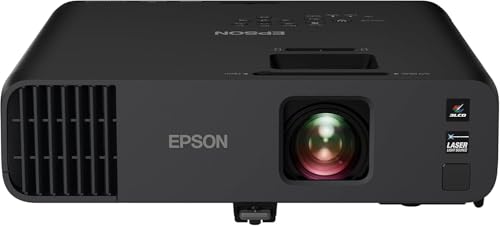
- 4,600 lumens of color and white brightness
- Miracast, Wi-Fi, Ethernet, and dual HDMI
- 20,000-hour laser source with built-in 16W speaker
Best For: Bright offices, meetings, and wireless presentations
Bright 4K Theater Pick

- 5,500 ANSI lumens with native 4K UHD resolution
- 240Hz refresh rate and 4.2ms input lag
- 1.7x zoom with flexible image adjustment tools
Best For: Bright home theaters, gaming, sports, and golf simulation
Installation-Friendly Presentation Pick

- Native WUXGA resolution with 5,200-lumen output
- Vertical and horizontal lens shift with 1.6x zoom
- LAN, RS-232C, and dual HDMI connectivity
Best For: Classrooms, offices, presentations, and multipurpose rooms
Premium Flexible Home Cinema Pick

- 4K triple-laser projection with 3,500 ISO lumens
- ±105% vertical optical lens shift and 0.9–1.5x optical zoom
- Dolby Vision, HDR10+, IMAX Enhanced, and 240Hz gaming
Best For: Premium home theaters, streaming, movies, and gaming
Bright-Room 4K Pick

- 6,000 ANSI-lumen peak output with 4K triple-laser color
- 1.67× optical zoom preserves image quality during placement changes
- AI spatial adaptation and Google TV simplify everyday use
Best For: Bright-room home cinema and flexible automated setup
Most Flexible Lens Shift
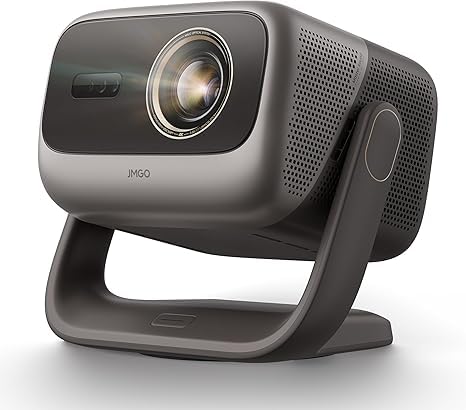
- Four-way lens shift reaches ±53% horizontal and ±130% vertical
- 5800 ISO lumens with 4K, Dolby Vision, and 110% BT.2020
- VRR, 240Hz refresh, and 1ms latency support serious gaming
Best For: Tricky room layouts and high-performance home theater gaming
Compact Lifestyle Option
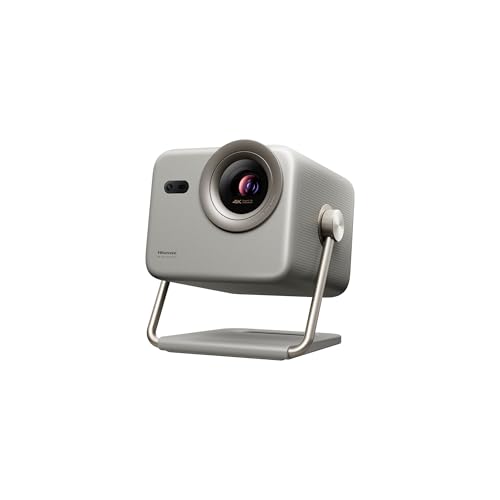
- Portable triple-laser 4K projection from 65 to 200 inches
- 1.0–1.3:1 optical zoom maintains 4K sharpness
- Dolby Vision and VIDAA streaming support easy movie nights
Best For: Low-light home viewing, backyard movies, and casual gaming
Bright Business Performer – BenQ LU930
For buyers comparing laser projectors with lens shift for presentations, the BenQ LU930 emphasizes bright, readable images and low maintenance. Its 5,000 ANSI-lumen output, WUXGA support, sealed laser engine, and lens shift make it well suited to demanding business environments.
Best For: Bright conference rooms, classrooms, and organizations needing reliable 24/7 presentation projection.
Pros:
- 5,000 ANSI lumens helps keep text and graphics visible in well-lit rooms.
- 92% Rec. 709 color accuracy supports clear logos and infographics.
- Sealed IP5X laser design avoids routine lamp and filter replacement.
- 20,000-hour laser life and network control support long-term operation.
Cons:
- Its 1920 x 1080 native resolution is lower than 4K models.
- The feature set is primarily presentation-focused rather than home-cinema oriented.
The LU930 is a practical choice when brightness, color consistency, and reduced maintenance matter more than cinematic HDR features. Its lens shift adds installation flexibility for fixed business setups.
Premium Home Cinema Choice – Epson Home Cinema LS11000
Among laser projectors with lens shift, the Epson Home Cinema LS11000 stands out for 4K HDR home viewing and highly adjustable installation. Its motorized three-way lens shift, powered zoom and focus, 2,500-lumen output, and 120Hz support suit dedicated theaters and gaming spaces.
Best For: Home theaters and gamers who want 4K HDR projection with flexible placement.
Pros:
- Full 4K resolution delivers an 8.29-million-pixel image.
- Motorized lens shift offers ±47% horizontal and ±96% vertical adjustment.
- HDR10+, 10-bit processing, and a 1,200,000:1 dynamic contrast ratio support detailed images.
- 120Hz playback and input lag below 20ms support responsive gaming.
Cons:
- Its 2,500-lumen brightness is lower than the brighter business projectors here.
- The larger home-cinema feature set may be excessive for basic presentations.
The LS11000 is the strongest fit for buyers prioritizing image quality and installation flexibility. Ten lens-memory presets and a precision glass lens further simplify switching between supported screen aspect ratios.
Installed Presentation Specialist – Sony VPL-PHZ50
The Sony VPL-PHZ50 is one of the more business-oriented laser projectors with lens shift, combining 5,000 lumens with WUXGA resolution and Reality Creation image processing. Its 1.23:1–1.97:1 throw ratio, manual zoom, and vertical lens shift support flexible installed presentations.
Best For: Large meeting rooms, education spaces, and permanent presentation installations.
Pros:
- 5,000-lumen brightness is suited to large or well-lit rooms.
- Native 1920 x 1200 resolution provides a useful WUXGA presentation format.
- Vertical lens shift from -35% to +55% helps with placement.
- HDMI, USB, and HDBaseT-oriented installation features support business connectivity.
Cons:
- It lacks the 4K resolution and home-cinema HDR emphasis of the Epson LS11000.
- Its lens shift is vertical rather than the Sony’s more expansive three-way motorized adjustment found on some models.
Choose the PHZ50 when dependable brightness and installation flexibility are the priority. Its 20,000-hour laser life and 2-year warranty also support long-term professional deployment.
Wireless Meeting Room Pick – Epson Pro EX11000
For buyers seeking laser projectors with lens shift for flexible business use, the Epson Pro EX11000 combines 4,600-lumen color and white brightness with wireless connectivity. Its 1080p resolution, Miracast support, two HDMI ports, and portable design make it convenient for meetings and presentations.
Best For: Well-lit offices and mobile presenters who need wireless screen mirroring and strong color brightness.
Pros:
- 4,600 lumens of color and white brightness helps presentations stand out in bright rooms.
- Three-chip 3LCD technology displays the full RGB signal for every frame.
- Miracast, Wi-Fi, Ethernet, and two HDMI ports provide versatile connectivity.
- 20,000-hour laser life and a built-in 16W speaker reduce setup and maintenance needs.
Cons:
- Its native 1920 x 1080 resolution is below 4K home-cinema models.
- The supplied notes do not specify a lens-shift range, so installation adjustment is less clearly defined.
- The warranty is limited to one year.
The EX11000 is a strong practical option for business users who value brightness, wireless presentation tools, and portability. Confirm the installation requirements if a specific lens-shift range is essential to your setup.
Bright 4K Theater Pick – ViewSonic LS901-4K
If you need laser projectors with lens shift for a bright home theater or large venue, the ViewSonic LS901-4K emphasizes 4K detail, high brightness, and flexible installation. Its 5,500 ANSI lumens, 1.7x optical zoom, and image-adjustment tools suit large screens and challenging room layouts.
Best For: Bright home theaters, large-screen sports viewing, gaming, and golf simulation setups.
Pros:
- Native 3840 x 2160 resolution with 5,500 ANSI lumens and HDR/HLG support.
- 240Hz refresh rate and 4.2ms input lag support fast-paced gaming and sports.
- 1.7x optical zoom, horizontal/vertical keystone, four-corner adjustment, and 360-degree projection improve installation flexibility.
- Supports a native 21:9 aspect ratio and screens up to 300 inches.
Cons:
- Its ceiling-mount-oriented design may be more than needed for casual tabletop use.
- The supplied notes list image-adjustment features but do not specify a dedicated optical lens-shift range.
The LS901-4K is a strong fit when brightness and large-scale performance matter most. It offers extensive setup controls, though buyers specifically seeking a stated optical lens-shift specification should verify that detail before purchasing.
Installation-Friendly Presentation Pick – Panasonic PT-VMZ51S
Panasonic PT-VMZ51S WUXGA LCD Laser Projector, 5200 Lumens, No Digital Link, White
Check Price On AmazonThe Panasonic PT-VMZ51S is one of the more practical laser projectors with lens shift for classrooms, offices, and multipurpose rooms. Its WUXGA resolution, 5,200-lumen output, 1.6x optical zoom, and vertical/horizontal lens shift help produce a well-positioned image when the projector cannot sit directly in the ideal spot.
Best For: Business presentations, education, meeting rooms, and flexible tabletop or installed setups.
Pros:
- Native 1920 x 1200 WUXGA resolution provides a 16:10 workspace for charts, text, and video.
- Vertical and horizontal lens shift plus a 1.6x manual optical zoom support flexible placement.
- 5,200-lumen output and support for 30- to 300-inch images suit varied room sizes.
- Dual HDMI inputs accept HDCP 1.4 and 4K/30p signals, with LAN and RS-232C control support.
Cons:
- It displays at native WUXGA rather than 4K resolution.
- Wireless connectivity requires an optional module.
- The listed 10W mono speaker is suitable for basic audio but may not replace a dedicated sound system.
Choose the PT-VMZ51S when positioning flexibility and presentation clarity are more important than 4K home-cinema features. Its lens shift and optical zoom make it especially useful for installations with limited placement options.
Premium Flexible Home Cinema Pick – Valerion VisionMaster Max
For buyers seeking feature-rich laser projectors with lens shift, the Valerion VisionMaster Max combines 4K resolution with a 0.9–1.5:1 optical zoom and ±105% vertical optical lens shift. Its triple-laser light source, HDR support, and gaming features make it designed for both cinematic viewing and high-performance entertainment.
Best For: Premium home theaters, large-screen movie viewing, streaming, and responsive gaming.
Pros:
- Native 3840 x 2160 resolution with 3,500 ISO lumens and 110% Rec.2020 color coverage.
- ±105% vertical optical lens shift and lossless 0.9–1.5:1 optical zoom support flexible layouts up to 300 inches.
- Supports Dolby Vision, HDR10+, IMAX Enhanced, Filmmaker Mode, and active 3D sources.
- Gaming mode offers 4ms response at 240Hz, while Google TV, Wi-Fi 6E, and built-in streaming features add convenience.
Cons:
- Its 3,500 ISO-lumen output is lower than the brighter 5,200- and 5,500-lumen alternatives in this roundup.
- The extensive smart, gaming, and theater feature set may be unnecessary for basic presentation use.
The VisionMaster Max is the most cinema-focused option here, with unusually broad image-placement flexibility and a long list of premium formats. It is a compelling choice for buyers who want lens shift, 4K performance, gaming speed, and integrated smart-home features in one projector.
Bright-Room 4K Pick – Nebula X1S
The Nebula X1S is a strong option among laser projectors with lens shift for viewers who prioritize brightness, color, and convenient setup. Its 6,000 ANSI-lumen peak output, optical zoom, AI spatial adaptation, and 4K triple-laser design suit home cinema, gaming, and flexible room layouts.
Best For: Bright-room movie watching and users who want premium picture quality with automated positioning.
Pros:
- 4K triple-laser engine with 6,000 ANSI lumens in Peak Output Mode and 106% Rec. 2020 color.
- 1.67× optical zoom adjusts image size without moving the projector.
- AI Spatial Adaptation, autofocus, obstacle avoidance, and Spatial Recall simplify setup.
- Built-in 40W Dolby Audio speakers and official Google TV with 4K Netflix support.
Cons:
- The stated 6,000-lumen brightness applies to Peak Output/Conference Mode rather than Vivid Mode.
- The supplied notes describe automated spatial adaptation, but do not specify a traditional lens-shift range.
The X1S combines high output, strong color coverage, optical zoom, and useful automation in a compact form. It is especially compelling when brightness and built-in streaming matter more than a specified mechanical lens-shift range.
Most Flexible Lens Shift – JMGO N3 Ultimate
The JMGO N3 Ultimate is the standout choice for buyers specifically seeking laser projectors with lens shift. Its four-way physical lens shift, optical zoom, and motorized AI gimbal allow substantial image repositioning without digital cropping or sacrificing 4K resolution.
Best For: Difficult room layouts, ceiling or shelf placement, large-screen home cinema, and competitive gaming.
Pros:
- Four-way lens shift provides horizontal adjustment of ±53% and vertical adjustment of ±130%.
- 0.88–1.7:1 optical zoom and a 360° pan/150° tilt motorized gimbal add placement flexibility.
- 5800 ISO lumens, 4K resolution, 110% BT.2020 coverage, Dolby Vision, and 3D support.
- Gaming features include HDMI VRR, up to 240Hz refresh, and 1ms input latency.
Cons:
- The extensive motorized adjustment system may be more capability than users with a fixed installation need.
- The supplied notes do not provide a compact physical size or weight.
With unusually broad physical image adjustment, the N3 Ultimate is the clearest match for the keyword and for rooms where projector placement cannot be perfectly centered. Its high brightness, Google TV, and gaming specifications further broaden its appeal.
Compact Lifestyle Option – Hisense M2 Pro
The Hisense M2 Pro is a practical lifestyle projector for buyers comparing laser projectors with lens shift who also value portability and simple image sizing. While the supplied specifications highlight intelligent screen adjustments rather than a stated mechanical lens-shift range, its optical zoom keeps 4K clarity intact as the projector-to-screen distance changes.
Best For: Low-light movie nights, backyard viewing, casual gaming, and users who want a portable smart projector.
Pros:
- Triple-laser 4K projection supports image sizes from 65 to 200 inches.
- 1.0–1.3:1 optical zoom changes image size without compromising sharpness.
- Dolby Vision, AI picture enhancements, active 3D, and Filmmaker Mode support varied content.
- VIDAA OS includes Netflix, YouTube, Disney+, and other streaming services.
Cons:
- At 1,300 ANSI lumens, it is intended more for low-light environments than bright rooms.
- The supplied notes do not specify a traditional lens-shift range.
- Active 3D requires DLP-Link active-shutter glasses.
The M2 Pro makes sense when portability, smart features, and optical zoom are more important than maximum brightness or extensive mechanical placement correction. Its 65–200-inch range and Dolby Vision support make it a versatile choice for relaxed home viewing.
How We Picked These Laser Projectors with Lens Shift
We selected models based on the features that have the greatest effect on real-world setup and image quality: laser light-source longevity, rated brightness, resolution, lens-shift flexibility, optical zoom, contrast performance, connectivity, and intended use. The list includes bright WUXGA projectors for presentations, 4K-capable home theater models, and smart or portable designs for more casual viewing.
Specifications can vary by region and measurement standard, so treat brightness ratings as useful comparisons rather than guarantees of identical on-screen performance. Installation range, throw distance, and lens-shift limits should always be confirmed before purchase.
Quick Comparison
| Best For | What to Prioritize | Models to Consider |
|---|---|---|
| Dedicated home theater | 4K detail, contrast, HDR, quiet operation | Epson LS11000, Valerion VisionMaster Max, ViewSonic LS901-4K |
| Bright rooms and presentations | High ANSI lumens, readable text, reliable operation | BenQ LU930, Sony VPL-PHZ50, Panasonic PT-VMZ51S |
| Wireless or smart viewing | Built-in streaming, wireless connectivity, simple setup | Epson Pro EX11000, Nebula X1S, Hisense M2 Pro |
| Large-screen gaming and entertainment | 4K support, low input lag, flexible placement | JMGO N3 Ultimate, Valerion VisionMaster Max, Epson LS11000 |
Key Buying Factors for Laser Projectors with Lens Shift
Lens Shift Versus Keystone Correction
Prioritize genuine optical lens shift when image geometry matters. Lens shift repositions the projected image without digitally reshaping it, preserving more resolution and avoiding the softened edges that can result from aggressive keystone correction. Check whether the shift is vertical, horizontal, or both, and verify the adjustment range.
Brightness and Room Lighting
Higher brightness is valuable for classrooms, offices, and rooms with ambient light, but it is not the only measure of picture quality. A dark home theater may benefit more from stronger black levels, accurate color, and HDR performance than from maximum lumen output. Screen size and gain also affect the brightness you see.
Resolution, Contrast, and Color
WUXGA and 1080p models can look sharp at practical viewing distances, while 4K-oriented projectors are better suited to large screens and detailed films or games. Compare native resolution with pixel-shifting claims, and look for features such as HDR support, wide color coverage, and effective contrast control.
Throw Range and Installation
Optical zoom gives you more flexibility than digital zoom, especially when mounting the projector permanently. Measure the distance from the planned lens position to the screen and compare it with the projector’s throw ratio. Also account for ceiling height, ventilation, access to ports, and the lens-shift direction.
Noise, Connectivity, and Maintenance
Laser engines generally reduce lamp replacements, but fans can still be audible in quiet scenes. Check rated noise levels and available connections, including HDMI, wireless networking, USB, and audio outputs. Smart platforms are convenient, though a dedicated streaming device may offer longer software support.
Who Should Buy Which Laser Projectors with Lens Shift?
Choose a high-lumen business model such as the BenQ, Sony, or Panasonic when readability, dependable long sessions, and flexible installation matter most. For a dedicated movie room, consider the Epson LS11000 or a high-end 4K model from Valerion or ViewSonic for stronger cinematic performance. Buyers who want built-in streaming and a simpler living-room setup should look at the Nebula, Hisense, or Epson Pro options.
For gaming and large-screen entertainment, compare input lag, refresh-rate support, HDMI features, and lens-shift range—not just resolution. Finally, confirm the exact lens specifications before ordering: a projector marketed as installation-friendly may still have limited horizontal shift or require careful mounting alignment.