The best smart home hubs with local processing can keep essential automations running even when the internet is unavailable. They also reduce cloud dependence, improve response times, and give you more control over connected devices.
This roundup compares 10 options across compatibility, networking, automation flexibility, and setup requirements—from accessible Matter hubs to advanced platforms for enthusiasts.
Best 10 Smart Home Hubs with Local Processing Picks for 2026
Best Overall Local Hub

- Local automations continue during internet outages
- Matter, Z-Wave, Zigbee, and Bluetooth support
- Advanced rules with no required subscription
Best For: DIY homeowners building a broad, privacy-focused smart home
Best for Aqara Ecosystems

- Edge Hub enables local Aqara automations
- Matter bridge, Thread, Zigbee, and IR support
- PoE, encrypted storage, and USB-C backup options
Best For: Aqara users expanding into Matter and Thread
Best for Advanced Integrations

- Locally managed automations and private storage
- Built-in Z-Wave 800 Long Range radio
- Supports thousands of products and integrations
Best For: Experienced users managing diverse smart-home technologies
Best Compact Aqara Hub

- Local Zigbee and Matter automation execution
- Matter, Thread, Wi-Fi, PoE, and IR capabilities
- Built-in speaker for alerts and custom messages
Best For: Compact Aqara homes needing local control and Matter support
AI Camera Hub
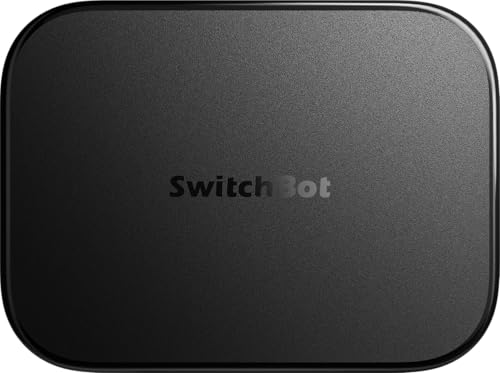
- Local camera-event storage with included 16GB MicroSD
- Home Assistant pre-installed with Matter Bridge
- OpenClaw support and faster select BLE automations
Best For: SwitchBot camera users seeking local storage and AI-assisted control
Open Linux Platform
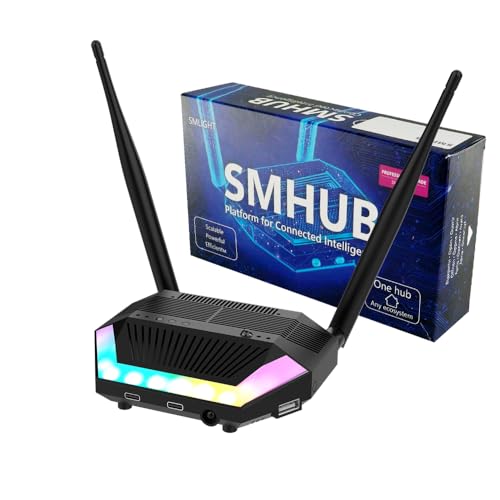
- Hosts Zigbee2MQTT, MQTT, Matterbridge, and more locally
- Built-in Zigbee, Thread, Wi-Fi, and Bluetooth radios
- Connects Zigbee devices with Google Home or Apple Home
Best For: Advanced DIY users needing a flexible local Linux hub
SmartThings Choice

- SmartThings app with local automation capability
- Matter and Zigbee support for broad device categories
- Wi-Fi or Ethernet setup; Z-Wave is not supported
Best For: SmartThings users wanting Matter, Zigbee, and local routines
Best Multi-Protocol Value

- Matter, Zigbee, Thread, and IR in one hub
- Local scenes can continue during internet outages
- Supports up to 128 compatible Tuya Zigbee devices
Best For: Tuya-based homes needing broad protocol support and IR control
Best Compact Local Automation Hub

- Local processing supports privacy and offline reliability
- Built-in Zigbee, Matter, Thread, and Ethernet
- Works with 1,000+ brands without a subscription
Best For: Mixed-brand homes prioritizing local automation in a compact hub
Best Full-Protocol Hub

- Seven built-in technologies, including Z-Wave and IR
- Local processing with data stored on the hub
- Supports 50,000+ devices from 1,000+ brands
Best For: Large, mixed-protocol homes needing a long-term local-first hub
Best Overall Local Hub – Hubitat Elevation C-8 Pro
For shoppers comparing smart home hubs with local processing, the Hubitat Elevation C-8 Pro stands out for fast, internet-independent automations and broad protocol support. It handles Z-Wave, Zigbee, Matter, and Bluetooth devices while keeping automation data at home.
Best For: DIY homeowners who want extensive device compatibility, advanced automation rules, and no required subscription.
Pros:
- Runs automations locally for fast response during internet outages.
- Supports Matter, Z-Wave 800 Long Range, Zigbee 3.0, and Bluetooth.
- Works with Alexa, Google Home, Apple HomeKit, and Ring integrations.
- Rule Machine and AI-assisted routine building support complex automations.
Cons:
- Advanced configuration may have a learning curve.
- Its Zigbee and Z-Wave focus may be less useful for households centered on another ecosystem.
The C-8 Pro is a strong all-around choice when local reliability, privacy, and expansion flexibility matter more than a minimalist setup. Its active community and ongoing updates add value for hands-on smart-home builders.
Best for Aqara Ecosystems – Aqara Smart Home Hub M3
The Aqara Smart Home Hub M3 is a capable option among smart home hubs with local processing, especially for Aqara users adding Matter and Thread devices. Its Edge Hub design moves supported automations locally while offering wired, wireless, and PoE connectivity.
Best For: Aqara households that want local automations, Matter bridging, Thread support, and an integrated IR controller.
Pros:
- Prioritizes local control and can migrate automations from older Aqara hubs.
- Supports Aqara Zigbee, Thread, Matter bridging, and up to 127 devices on each listed network type.
- Includes a 360-degree IR blaster with feedback and learning.
- Offers dual-band Wi-Fi, PoE, USB-C power-bank support, and encrypted local storage.
Cons:
- Third-party Zigbee devices are not supported through its stated 127-device capacity.
- Some cloud notifications still require an internet connection.
- A 2A USB power adapter is not included.
The M3 combines local automation with useful infrastructure features, making it appealing for Aqara-centered homes that also use Matter or Home Assistant. Buyers should verify device compatibility and plan its placement near the router.
Best for Advanced Integrations – HomeSeer HomeTroller Pi G8
The HomeSeer HomeTroller Pi G8 takes a flexible, locally managed approach to smart home hubs with local processing. It stores automations on the hub, supports Z-Wave Long Range and mesh networks, and connects with a wide range of smart-home platforms.
Best For: Experienced users who want extensive integrations, configurable Z-Wave networking, and local control over updates and automations.
Pros:
- Runs schedules and automations locally for fast, private operation.
- Built-in 800 Series Z-Wave radio supports Long Range and mesh networks.
- Integrates with thousands of products through Z-Wave and open-source integrations.
- Includes Ethernet, Wi-Fi, four USB ports, 32GB storage, and free remote access.
Cons:
- Zigbee functionality requires a separate Zigbee interface.
- The broad integration platform may be more involved to configure than simpler hubs.
The HomeTroller Pi G8 is a strong platform for technically inclined users who value control and breadth. Its separate Zigbee hardware requirement is worth factoring into the total setup cost and complexity.
Best Compact Aqara Hub – Aqara Smart Hub M200
The Aqara Smart Hub M200 is a compact choice for smart home hubs with local processing, combining local Zigbee and Matter automations with Matter bridging, Thread routing, PoE, and IR control. It is designed for Aqara-focused homes that want flexible ecosystem connectivity.
Best For: Smaller Aqara installations seeking local automation, Matter ecosystem support, IR control, and flexible power or network options.
Pros:
- Runs supported Zigbee and Matter automations locally, even without Wi-Fi or cloud access.
- Acts as a Matter Controller, Thread Border Router, and Matter Bridge.
- Includes a 360-degree IR blaster with feedback and learning.
- Supports PoE, dual-band Wi-Fi, USB-C backup power, and built-in alarm audio.
Cons:
- Supports up to 40 Aqara Zigbee devices and 40 Thread devices.
- Some cloud push notifications still require an internet connection.
- A 2A USB power adapter is not included.
The M200 offers a practical blend of local reliability and ecosystem flexibility in a smaller installation. Its device limits make it better suited to compact or moderately sized Aqara setups than large deployments.
AI Camera Hub – SwitchBot AI Hub
The SwitchBot AI Hub is a camera-focused option for shoppers seeking smart home hubs with local processing. It combines local camera-event storage, Home Assistant, a Matter bridge, and edge control for select SwitchBot BLE devices, while OpenClaw support adds conversational control and camera-aware features.
Best For: SwitchBot users who want local camera storage, Home Assistant support, and AI-assisted device and camera interactions.
Pros:
- Includes a 16GB MicroSD card for storing camera events locally, with expansion options up to 1TB MicroSD or a 16TB external drive.
- Home Assistant comes pre-installed, and the hub includes Matter Bridge support.
- Can manage up to eight compatible cameras and supports select RTSP cameras.
- Edge automations for select SwitchBot BLE devices can be up to four times faster under SwitchBot lab conditions.
Cons:
- AI features require an AI+ subscription and compatible cameras.
- It does not include IR control for TVs or air conditioners.
This is a specialized local-processing hub with particularly strong camera and SwitchBot capabilities. Confirm camera compatibility and subscription requirements before buying, especially if you need broad appliance control.
Open Linux Platform – SMLIGHT SMHUB Essential
The SMLIGHT SMHUB Essential is aimed at advanced users who want smart home hubs with local processing and a flexible Linux foundation. It hosts services such as Zigbee2MQTT, MQTT, Matterbridge, Node-RED, and VPN tools directly on the hub, reducing the need for separate servers and bridges.
Best For: DIY enthusiasts and integrators building a multi-protocol smart home around local Linux services and open-source tools.
Pros:
- Runs Zigbee2MQTT, MQTT broker, Z-Wave JS, WireGuard, Tailscale, Matterbridge, and other applications locally.
- Built-in Zigbee, Thread, Wi-Fi, and Bluetooth radios support a broad range of devices and protocols.
- Can expose Zigbee devices directly to Google Home or Apple Home through Zigbee2MQTT and Matterbridge.
- Includes an IR receiver, IR transmitter, audio output, ambient light sensor, and SD/eMMC support.
Cons:
- Its Linux-based setup and app-based flexibility may be more involved than a turnkey consumer hub.
- Z-Wave and 4G/LTE require optional expansion modules.
The SMHUB Essential stands out for local flexibility and protocol integration rather than simplicity. It is a strong fit when you are comfortable configuring open-source services and want core smart-home functions to remain available locally.
SmartThings Choice – Aeotec Smart Home Hub2
The Aeotec Smart Home Hub2 is a straightforward SmartThings-based choice among smart home hubs with local processing. It supports Matter and Zigbee devices, works over Wi-Fi or Ethernet, and can run many automations locally so routines remain responsive during temporary internet outages.
Best For: SmartThings households that want Matter and Zigbee support with a familiar app and local automation capability.
Pros:
- Uses the SmartThings app for device connection, monitoring, and automation.
- Supports Matter and Zigbee devices, including lights, sensors, plugs, switches, and thermostats.
- Many local automations can continue working when the internet is temporarily unavailable.
- Supports either Wi-Fi or wired Ethernet for flexible installation.
Cons:
- Z-Wave is not supported.
- Local processing does not mean every connected feature or automation necessarily works offline.
This hub makes sense for buyers already invested in SmartThings or seeking a conventional app-based setup with local routine execution. Check device compatibility carefully if your installation includes Z-Wave products.
Best Multi-Protocol Value – Matter Smart Home Hub M1 Pro
The Zemismart M1 Pro is a flexible option among smart home hubs with local processing, combining Matter bridging, Tuya Zigbee control, Thread Border Router functionality, and infrared control in one compact unit. Its supported hub-side automations can continue during an internet outage, although cloud-dependent features and some device functions still require connectivity.
Best For: Tuya-based homes that need Matter, Zigbee, Thread, and IR support in one hub.
Pros:
- Combines Matter, Tuya Zigbee, Thread, and 38kHz IR control.
- Supported scenes and automations can run locally during internet outages.
- Offers Ethernet or dual-band Wi-Fi connectivity and supports up to 128 compatible Tuya Zigbee sub-devices.
- Compact USB-C-powered design fits easily on a shelf or desk.
Cons:
- Initial activation requires Ethernet, and initial app pairing requires 2.4GHz Wi-Fi.
- Requires a compatible Matter controller/border-router device for Matter ecosystem sharing.
- IR features and exposed device controls vary across third-party ecosystems.
The M1 Pro stands out for protocol breadth and built-in IR, especially if your setup already uses Tuya Smart or Smart Life. Verify ecosystem and device compatibility before buying, since local operation and Matter controls are not universal for every connected device.
Best Compact Local Automation Hub – Homey Pro mini
Homey Pro mini is a strong choice among smart home hubs with local processing for users who want centralized automations without a monthly subscription. It supports Zigbee, Matter, Thread, and Ethernet, while Homey Flow lets you create routines and manage compatible devices from one platform.
Best For: Households wanting privacy-focused local automation with broad brand compatibility.
Pros:
- Provides local data processing for improved privacy and operation when the internet is down.
- Supports Zigbee, Matter, Thread, and Ethernet out of the box.
- Works with more than 1,000 brands through official and community-developed apps.
- No subscription is required for Homey features, including listed cloud services.
Cons:
- Z-Wave, Bluetooth, and infrared require the separately sold Homey Bridge.
- Remote access and voice assistant integrations still rely on cloud services.
- Compatibility should be checked for specific devices and brands before purchase.
The Pro mini balances local control, protocol support, and a straightforward automation system in a compact package. It is particularly appealing for a growing mixed-brand setup, but buyers needing built-in Z-Wave or IR should consider the larger Homey Pro instead or budget for Homey Bridge.
Best Full-Protocol Hub – Homey Pro (2026)
Homey Pro (2026) is a premium pick among smart home hubs with local processing, bringing seven connectivity technologies together: Wi-Fi, Zigbee, Z-Wave Plus, infrared, BLE, Matter, and Thread. It processes automations on the hub, stores data locally, and supports advanced routines through Homey Flow and the Homey Web App.
Best For: Large or diverse smart homes needing built-in support for legacy and current protocols.
Pros:
- Includes Wi-Fi, Zigbee, Z-Wave Plus, IR, BLE, Matter, and Thread.
- Processes everything locally with data stored on the hub and minimal cloud dependency.
- Supports more than 50,000 devices from over 1,000 brands.
- Enables energy-monitoring insights and automations designed to reduce consumption.
Cons:
- Its extensive capabilities may be more than a small or simple setup requires.
- Specific brand and device support should be confirmed through the Homey compatibility list.
- Some remote-management and voice-control experiences may involve cloud services.
The 2026 Homey Pro is the most versatile option here for consolidating a large, mixed-protocol system. Its local-first design and built-in Z-Wave, IR, and BLE reduce the need for add-on bridges, making it a practical long-term hub for complex automations.
How We Picked the Best Smart Home Hubs with Local Processing
We focused on hubs that can execute at least some automations locally rather than sending every command to a remote server. The selected models cover a range of ecosystems and experience levels, including Hubitat, Home Assistant, SmartThings, Homey, Aqara, and open-source-oriented platforms.
Our comparison considers protocol support, local automation capabilities, connectivity, device compatibility, expansion potential, and the practical effort required for setup. Because “local” does not mean exactly the same thing for every platform, check the manufacturer’s documentation to confirm which integrations and routines continue working without internet access.
Quick Comparison
| What to Compare | Best Fit |
|---|---|
| Broad local automation | Hubitat Elevation or HomeSeer |
| Aqara-focused homes | Aqara Hub M3 or M200 |
| Home Assistant flexibility | SwitchBot AI Hub or SMLIGHT SMHUB Essential |
| SmartThings compatibility | Aeotec Smart Home Hub2 |
| Simple multi-protocol setup | Homey Pro mini |
| Maximum protocol coverage | Homey Pro (2026) |
Key Buying Factors for Smart Home Hubs with Local Processing
Protocol Support
Match the hub to the devices you already own and expect to buy. Zigbee and Z-Wave remain common for sensors, switches, and locks, while Matter and Thread are increasingly important for newer products. Some hubs also include infrared, Bluetooth, Wi-Fi, or Ethernet, which can reduce the number of bridges in your home.
What “Local” Actually Covers
Look beyond the marketing label. A hub may process basic scenes locally while relying on the cloud for voice assistants, remote access, notifications, firmware updates, or specific integrations. If outage resilience matters, identify which routines, dashboards, and device controls remain available offline.
Automation Depth and Ease of Use
Visual tools are convenient for beginners, while rule engines, scripting, MQTT, and Home Assistant support provide more control for advanced users. Consider whether you want a ready-to-use appliance or are comfortable managing updates, add-ons, and network settings.
Connectivity and Reliability
Ethernet can provide a more stable foundation than Wi-Fi, especially for a central hub. Check radio range, antenna design, Thread border-router support, Z-Wave region compatibility, and whether the hub can be backed up or restored easily.
Who Should Buy Which Smart Home Hubs with Local Processing?
Choose Hubitat or HomeSeer if dependable local rules and advanced customization are your priorities. Aqara models make the most sense for households already invested in Aqara sensors and accessories. Pick SMLIGHT or SwitchBot if you want a more open, Home Assistant-friendly path.
Aeotec is a practical choice for SmartThings users, while Homey Pro mini suits buyers who want broad compatibility with less hands-on administration. Choose the full Homey Pro (2026) when you need the widest built-in protocol coverage, including Z-Wave, Zigbee, Matter, Thread, infrared, and Bluetooth. Before buying, make a list of your current devices and confirm support for the specific automations you rely on most.