Dust buildup can restrict airflow, coat components, and make routine PC cleaning more difficult. The right computer dust filter helps reduce incoming debris without turning maintenance into a major project.
This roundup compares reusable magnetic covers, cut-to-fit mesh sheets, and multi-pack fan filters for cases, PSUs, routers, and custom builds.
Best 10 Computer Dust Filters Picks for 2026
Best Custom-Cut Kit

- Four large PVC mesh sheets
- Cut-to-fit for custom openings
- Includes magnetic mounting strips
Best For: DIY PC builds and multiple cooling ports
Best Long Strip

- 950mm-long customizable strip
- Reusable urethane material
- Designed for sticker-tape application
Best For: Desktop cases needing extended custom coverage
Best Washable DIY Pair
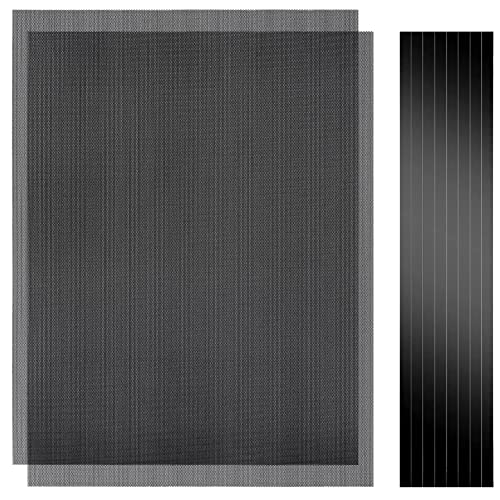
- Two large cut-to-fit sheets
- Washable waterproof PVC
- Tool-free magnetic mounting
Best For: Custom gaming PC and electronics coverage
Best Custom-Cut Coverage
Woanger DIY PC Case Dust Mesh Filter

- Two large cut-to-size mesh sheets
- Includes eight magnetic strips
- Helps block dust while supporting airflow
Best For: Custom PC vents and metal electronic enclosures
Best Large DIY Panel
MoKo Magnetic PC Dust Mesh Filter

- Two 400 x 300mm cut-to-size sheets
- Includes eight 400mm magnetic strips
- Removable design supports easier cleaning
Best For: Large or irregular PC vents and consoles
Best Multi-Pack Value

- 12 filters included
- Designed for 120mm openings
- Useful for PCs and speaker grilles
Best For: Multiple compatible fan locations
Best Oversize PVC Magnetic Filter
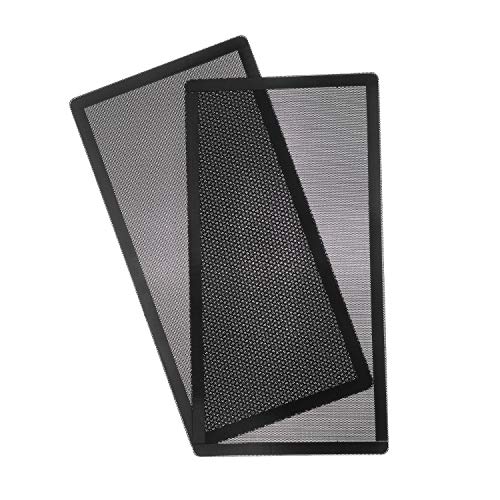
- Large 287 x 147mm coverage
- 0.5mm mesh holes
- Two-pack magnetic PVC design
Best For: Large compatible metal case vents
Best Custom-Cut Kit – MoKo 4-Pack DIY Magnetic Mesh
For shoppers comparing computer dust filters, the MoKo kit is a flexible option when you need to cover several openings or create custom-sized panels. Its large PVC sheets can be cut to fit, while the included magnetic strips allow tool-free attachment to compatible iron surfaces.
Best For: Multi-opening PC cases, custom fan locations, and electronics such as gaming consoles or speaker grilles.
Pros:
- Includes four 400 x 300mm sheets for broad coverage.
- Cut-to-fit design accommodates differently sized cooling ports.
- Magnetic mounting is easy to remove for cleaning.
- 1mm holes aim to balance dust protection and ventilation.
Cons:
- Magnetic mounting requires an iron or steel surface.
- The sheets must be measured and cut during installation.
- The kit has no stated warranty.
This is a practical pick for DIY builds and users who want extra material on hand. The four-sheet pack and included adhesive-backed magnetic strips make it more adaptable than a fixed-size filter.
Best Long Strip – G3 Premium PC Filter Material
The G3 is a long, reusable strip of dust-filter material for PC cases and fans. Its 950 x 155mm format can be customized for different openings, making it useful when standard computer dust filters do not match your case dimensions.
Best For: Desktop users who want a large, cut-to-size filter strip with sticker-tape application.
Pros:
- Long 950mm strip supports varied size configurations.
- Can be customized for different PC case openings.
- Reusable urethane material is designed for repeated use.
- Notes mention a noise-absorption effect.
Cons:
- It is supplied as one piece rather than multiple pre-sized filters.
- Installation uses sticker tape, so placement requires planning.
- It may require cutting to fit a specific case.
The G3 makes sense when coverage length matters more than plug-and-play installation. Its reusable construction and customizable format offer flexibility, though you will need to measure and prepare the material yourself.
Best Washable DIY Pair – YSSHUI Magnetic Mesh 2-Pack
This two-pack of computer dust filters suits users who want large, cut-to-fit magnetic panels. The washable PVC mesh is designed to block dust and debris while maintaining airflow, and it can be removed without screws from compatible steel or iron surfaces.
Best For: Gaming PCs, workstations, small-form-factor builds, and other electronics needing custom breathable coverage.
Pros:
- Two 400 x 300mm sheets provide generous material.
- Scissor-friendly design works for custom openings and devices.
- Magnetic strips enable tool-free installation and removal.
- Waterproof PVC can be rinsed and dried for maintenance.
Cons:
- Magnetic attachment is intended for steel or iron surfaces.
- Users must measure and cut the sheets to size.
- The product notes identify it as a two-pack, offering less material than a four-pack.
Choose this pair if washable maintenance is a priority and you need adaptable coverage rather than a fixed filter size. Its large sheets are especially useful for custom PC layouts and related electronics projects.
Best Standard Fan Cover – 360mm Magnetic Filter 2-Pack
For a straightforward computer dust filters solution, this two-pack uses a 360 x 120mm magnetic frame designed for standard computer fan and cooling-system applications. The fine PVC mesh installs without tools and can be removed for cleaning.
Best For: Desktop users seeking ready-sized magnetic covers for compatible 360mm fan areas.
Pros:
- Two filters are included in the package.
- 360 x 120mm size is intended for standard fan and cooling applications.
- Fine mesh helps block dust particles.
- Tool-free placement and removable design simplify upkeep.
Cons:
- The fixed dimensions offer less flexibility than cut-to-fit sheets.
- The notes do not specify compatibility with nonmagnetic surfaces.
- There is no stated warranty.
This filter is a convenient choice when its 360 x 120mm dimensions match your case. Compared with DIY sheets, it reduces preparation time, while the cleanable PVC surface supports routine maintenance.
Best Custom-Cut Coverage – Woanger DIY PC Case Dust Mesh Filter
For shoppers comparing computer dust filters, the Woanger 2-piece mesh kit is a practical choice when standard fan-filter sizes do not fit. Each large sheet can be cut to match a case opening, then attached to an iron chassis with the included magnetic strips.
Best For: Custom-sized PC vents, speaker grilles, game consoles, and other metal electronic enclosures.
Pros:
- Two 1000 x 300 mm sheets provide ample material for multiple openings.
- Eight adhesive-backed magnetic strips make installation tool-free on iron cases.
- Mesh is designed to help block dust and hair while maintaining ventilation.
- Can be cut and removed for flexible use and replacement.
Cons:
- Requires measuring and cutting before installation.
- Magnetic mounting is intended for iron shells, so it may not suit nonmetal surfaces.
Choose this kit if adaptable coverage matters more than a ready-made, single-size filter. Its large sheets and included strips make it especially useful for custom PC builds and varied vent shapes.
Best Fine-Mesh Fit – YIMATEECO 140mm Nylon PC Dust Filters
Among computer dust filters for standard 140mm openings, this YIMATEECO set offers a compact nylon-and-PVC design with 80-mesh filtration. The magnetic mounting is quick to position on compatible metal chassis, while the filters can be wiped and reused.
Best For: Standard 140mm desktop fans, coolers, PSUs, routers, and systems exposed to pet hair.
Pros:
- 80-mesh nylon has apertures as small as 0.2mm for fine debris and hair protection.
- Magnetic installation allows placement without tools or screws on metal chassis.
- Washable and reusable with gentle wiping.
- Includes two filters plus mounting accessories and screws.
Cons:
- Designed around a 140 x 140mm size rather than custom-cut coverage.
- Cleaning instructions advise against bending or machine washing.
- Weak magnetic mounting may require the alternate screws or adhesive options in some setups.
This is a focused option for standard-size openings where fine mesh and reusable maintenance are priorities. Confirm your opening dimensions and mounting surface before ordering.
Best Large DIY Panel – MoKo Magnetic PC Dust Mesh Filter
The MoKo 2-piece kit is one of the more flexible computer dust filters for users who need broad coverage across several cooling ports. Its 400 x 300mm PVC sheets can be cut to size and attached to an iron case using the included magnetic strips.
Best For: DIY PC case ventilation, speaker grilles, and gaming-console dust protection.
Pros:
- Large 400 x 300mm sheets can be customized for different openings.
- Eight 400mm magnetic strips support tool-free attachment to iron shells.
- 1mm holes are intended to limit dust and hair without restricting ventilation.
- Removable magnetic mounting simplifies cleaning.
Cons:
- Needs measuring and cutting for each vent.
- Magnetic attachment is primarily suited to iron surfaces.
- PVC mesh may not be the right choice for shoppers seeking a pre-sized filter.
Consider the MoKo when you want a sizable, reusable DIY panel rather than a filter limited to one fan dimension. It balances flexible sizing with straightforward magnetic installation.
Best Large Magnetic Pair – 280mm PC Dust Filters
These computer dust filters are a practical choice for larger PC case openings. The ultra-fine mesh and magnetic frame help cover compatible metal surfaces without screws, while the washable design makes routine maintenance straightforward.
Best For: Desktop PC builders who need two large, easy-to-install filters for case, power-supply, or chassis airflow openings.
Pros:
- Ultra-fine holes help keep dust away from internal components.
- Magnetic frame attaches easily to compatible metal PC case surfaces.
- Washable design supports repeat cleaning.
- Two 280 x 140mm filters are included.
Cons:
- The magnetic attachment is intended for metal surfaces.
- The large 280 x 140mm size may not fit smaller openings.
Choose this pair when coverage and tool-free installation matter more than universal sizing. Confirm your case opening dimensions before ordering.
Best Multi-Pack Value – 120mm PVC Fan Filters
ThreeBulls 12 Pcs 120mm PVC Black PC Cooler Fan Dust Filter Dustproof Case Cover Computer Mesh
Check Price On AmazonThis 12-pack of computer dust filters is designed for 120mm fan openings and other dust-prone grilles. The black PVC covers can help keep PC components cleaner and may reduce the cleaning required for compatible fans and electronics.
Best For: Users outfitting multiple 120mm fan openings or needing spare filters for computers, speaker grilles, and electronics.
Pros:
- Includes 12 filters for broad coverage or replacements.
- 120 x 120mm size suits compatible 120mm fan openings.
- PVC construction provides a lightweight black cover.
- Can also be used for speaker grilles and other electronic products.
Cons:
- These are fixed-size filters and may not fit non-120mm openings.
- The notes do not specify magnetic attachment or included mounting hardware.
For multiple compatible fans, the generous pack size is the main advantage. Measure each opening first, especially if you plan to use these beyond standard 120mm fan locations.
Best Oversize PVC Magnetic Filter – 287mm Magnetic Case Filter
These computer dust filters combine a large 287 x 147mm PVC mesh with magnetic installation for compatible metal PC cases. The 0.5mm holes focus on dust protection, and the filter can be cleaned or replaced when needed.
Best For: PC cases with a large 287 x 147mm opening where screw-free installation and finer dust coverage are priorities.
Pros:
- Magnetic design installs without screws on compatible metal surfaces.
- Smaller 0.5mm holes provide enhanced dust protection.
- PVC filter is easy to clean and replace.
- Two filters are included in the pack.
Cons:
- The specific 287 x 147mm dimensions limit compatibility.
- Magnetic mounting requires a suitable metal surface.
This is a focused option for large case vents rather than a universal filter. Verify the opening size and available metal mounting area before buying.
How We Picked These Computer Dust Filters
We selected options across the main formats used in desktop PCs: magnetic fan covers, flexible cut-to-fit mesh, PVC panels, nylon screens, and larger DIY sheets. We considered listed dimensions, pack size, mounting style, material, hole size, and whether each filter is better suited to a standard fan opening or a custom installation.
Because dust filters can affect airflow, we prioritized products that make removal and cleaning straightforward. Exact compatibility still depends on your case layout, fan placement, and available magnetic or adhesive mounting surfaces.
Quick Comparison
| Type | Best for | Main advantage | Check before buying |
|---|---|---|---|
| Cut-to-fit mesh | Custom vents and unusual openings | Flexible sizing | Cutting and securing edges |
| Magnetic fan cover | Standard intake fans | Fast installation and removal | Opening dimensions and magnetic contact |
| Multi-pack filters | Several fans or replacement stock | Convenient coverage | Individual filter size |
| Large DIY sheet | Full panels and custom builds | More material per purchase | Tools and mounting method |
Key Buying Factors for Computer Dust Filters
Measure the Opening First
Measure the usable vent or fan area rather than relying only on the fan’s advertised size. A 120mm or 140mm fan may require a larger filter frame, and case bezels can reduce the available mounting area. For DIY sheets, leave enough material for trimming and attachment.
Choose the Right Mesh and Material
Finer mesh can capture smaller particles, but it may restrict airflow more quickly when dirty. Nylon, PVC, and polyester-style screens vary in stiffness and cleaning convenience. A washable, removable filter is generally easier to maintain than a permanently attached panel.
Match the Mounting System
Magnetic filters work best on steel surfaces and are especially convenient for front, top, and bottom intakes. If your case uses plastic around the vent, plan to use the included frame, adhesive, hook-and-loop fasteners, or another secure mounting method.
Consider Cleaning and Airflow
Check whether the filter can be removed without taking apart the case. Inspect it regularly, particularly on floor-level or front intakes. If temperatures rise after installation, clean the filter or use a less restrictive option rather than allowing dust to accumulate.
Who Should Buy Which Computer Dust Filters?
Choose a magnetic fan filter if you want the quickest solution for standard intake locations. Select a cut-to-fit sheet if your case has irregular vents, a custom water-cooling layout, or several openings that need different shapes. A larger 950mm- or 1000mm-class roll is useful for builders covering multiple panels or keeping spare material on hand. Multi-packs make sense for systems with several intake fans, while compact 120mm, 140mm, 280mm, 287mm, or 360mm formats are better when you already know the required dimensions.
For most buyers, the best choice is the smallest filter that fully covers the opening, mounts securely, and can be removed for cleaning. Confirm measurements, mounting compatibility, and the seller’s stated material details before ordering.